No app account. No tracking. Just press play.앱 회원가입도, 추적도 없이. 재생만 누르세요.
Your library. Front and center.내 라이브러리가 주인공.
Made for your screens내가 쓰는 화면 그대로iPhoneiPadApple TV
WITHOUT VIDEO STATION. WITH YOUR OWN FILES.Video Station 없이도, 내 파일 그대로.
A Video Station alternative for your Synology.내 Synology를 위한 Video Station 대안.
Lost Video Station after DSM 7.2.2? Ownstream automatically uses File Mode when Video Station is absent. Your videos stay on your NAS.DSM 7.2.2 이후 Video Station이 없어졌나요? Ownstream은 Video Station이 없으면 자동으로 파일 모드를 사용합니다. 영상은 내 NAS에 그대로 둡니다.
What works, and what you need되는 것과 필요한 조건
Mode / feature모드 / 기능
What works되는 것
Condition조건
Video Station modeVideo Station 모드
Keep your existing library, posters and plots.기존 라이브러리·포스터·줄거리를 그대로 사용합니다.
Video Station installed on your NAS.NAS에 Video Station이 설치되어 있어야 합니다.
File Mode파일 모드
Browse and play videos in NAS folders, including on DSM 7.2.2+.DSM 7.2.2 이상에서도 NAS 폴더의 영상을 탐색하고 재생합니다.
File Station permission. Posters and plots need your own optional TMDB key.File Station 권한이 필요합니다. 포스터·줄거리를 보려면 본인의 TMDB 키를 선택적으로 추가하세요.
Resume across devices기기 간 이어보기
Continue watching with the same NAS account.같은 NAS 계정으로 보던 영상을 이어봅니다.
Progress is saved on your NAS; File Mode uses its .jnology folder.기록은 NAS에 저장되며, 파일 모드에서는 .jnology 폴더를 사용합니다.
Sync library locks라이브러리 잠금 동기화
Apply your lock settings on other devices.다른 기기에도 같은 잠금 설정을 적용합니다.
The same NAS account and its NAS home folder.같은 NAS 계정과 해당 계정의 NAS 홈 폴더가 필요합니다.
Subtitles자막
Embedded subtitles and matching subtitle files in both modes.두 모드 모두 내장 자막과 같은 이름의 자막 파일을 지원합니다.
Online search on iPhone and iPad requires Video Station subtitle plug-ins.iPhone·iPad의 인터넷 자막 검색에는 Video Station 자막 플러그인이 필요합니다.
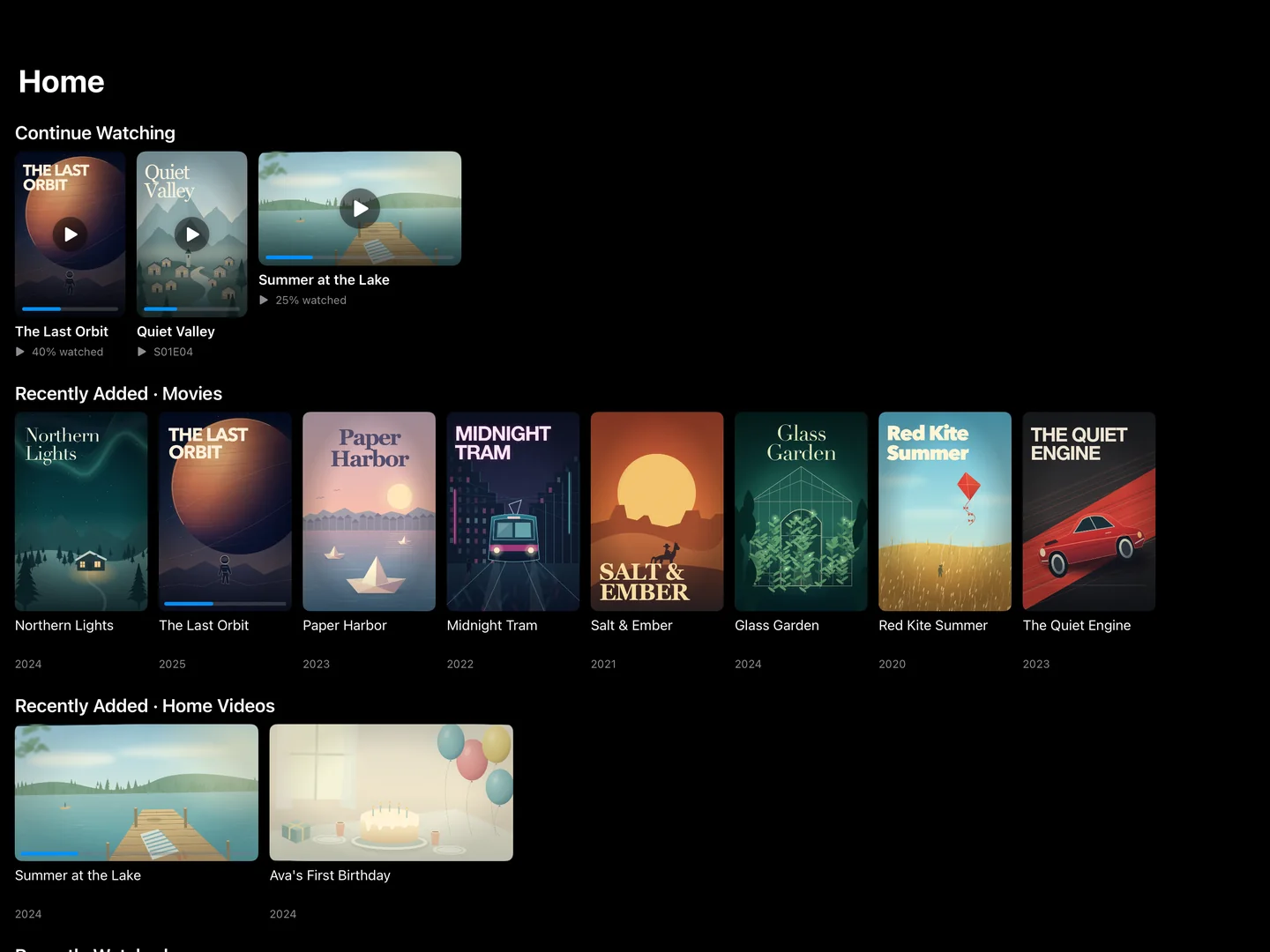
A better home for your collection.모으는 즐거움에서, 보는 즐거움으로.
You built the library. We make it a joy to watch.내 NAS에 담아 둔 영화와 드라마. 이제 더 편하게 즐기세요.
At home. Or out in the world.집에서도, 집 밖에서도.
Connect with an IP address, DDNS host name or QuickConnect ID, with two-step verification supported. Save sign-ins and switch between home and away in a tap.IP 주소, DDNS 주소, QuickConnect ID로 내 NAS에 연결하세요. 2단계 인증도 지원합니다. 로그인을 저장해 두면 집과 외부 연결을 한 번에 바꿀 수 있습니다.
NAS
IP / DDNSQuickConnect
Press play. Forget the file extension.파일 형식은 잠시 잊고. 재생을 누르세요.
Native playback for MP4 and MOV. A built-in VLC engine for MKV, AVI and more. Your collection, without the format juggling.MP4·MOV는 기본 플레이어로, MKV·AVI 등은 내장 VLC 엔진으로. 다양한 형식의 영상을 편하게 즐기세요.
.mov.mkv.mp4.avi
Native player + built-in VLC engine기본 플레이어 + 내장 VLC 엔진
Your folders. Ready to watch.내 NAS 폴더가 라이브러리로.
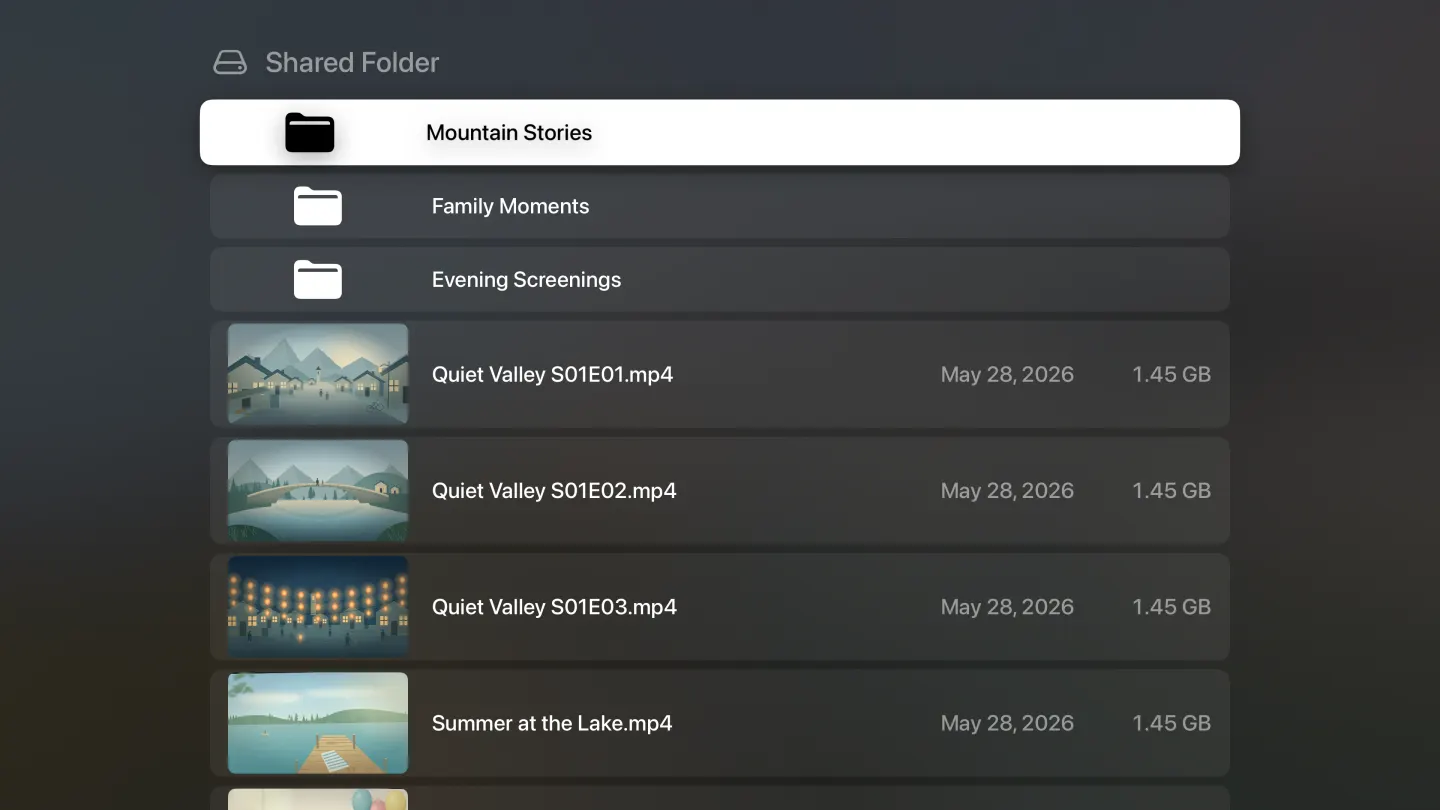
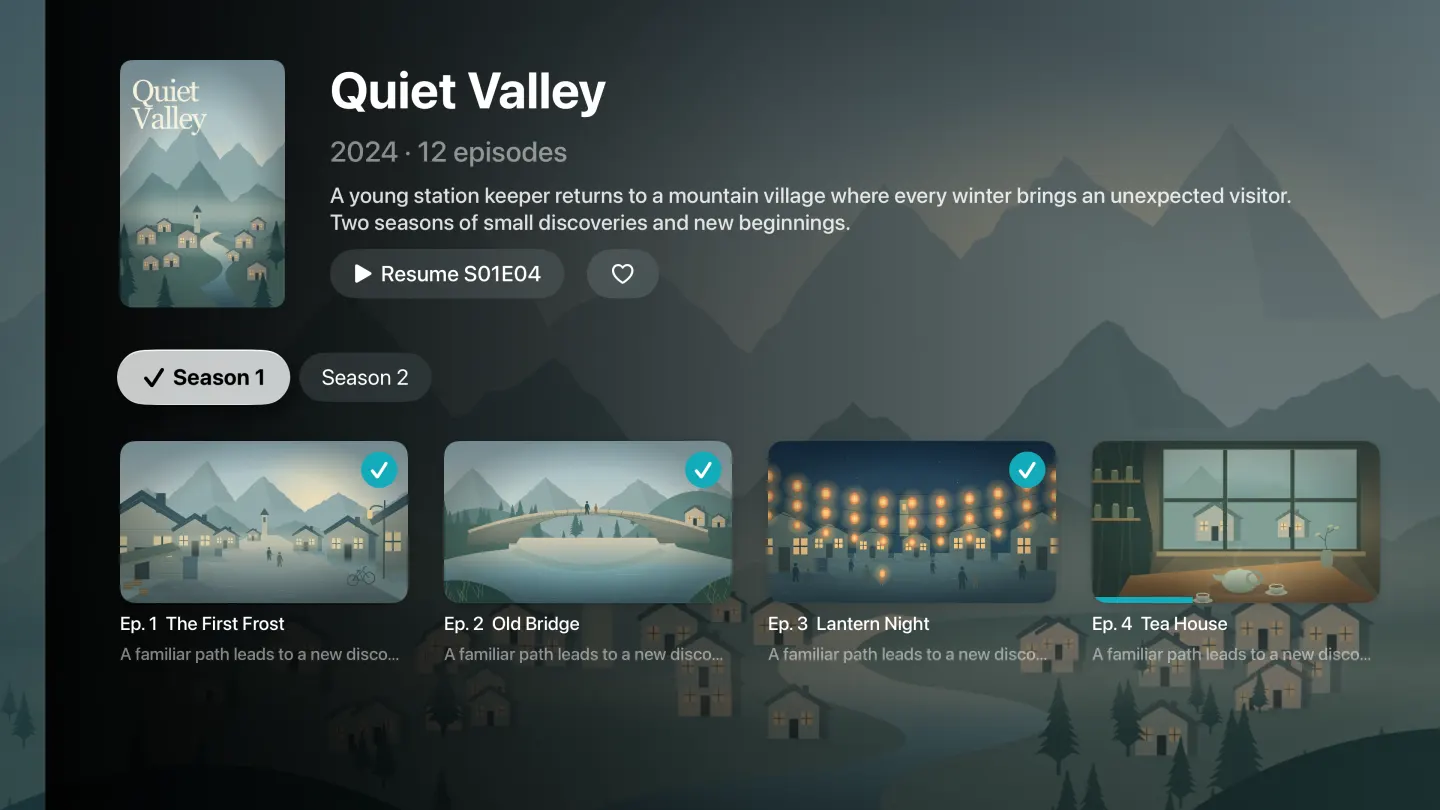
Browse your NAS folders with video thumbnails in File Mode. No Video Station needed, even on DSM 7.2.2 and later. Already use Video Station? Keep your library as it is.파일 모드로 NAS 폴더 속 영상을 썸네일과 함께 둘러보세요. Video Station이 없는 DSM 7.2.2 이상에서도 즐길 수 있습니다. 기존 Video Station 라이브러리도 그대로 사용할 수 있어요.
File Mode on Apple TV · Your folders, in view.Apple TV 파일 모드 · 내 폴더 속 영상을 한눈에.
Pick up where you left off.보던 장면, 그대로.iPhone → iPad → Apple TV
ALL THE LITTLE THINGS. BUILT IN.감상에 필요한 디테일까지.
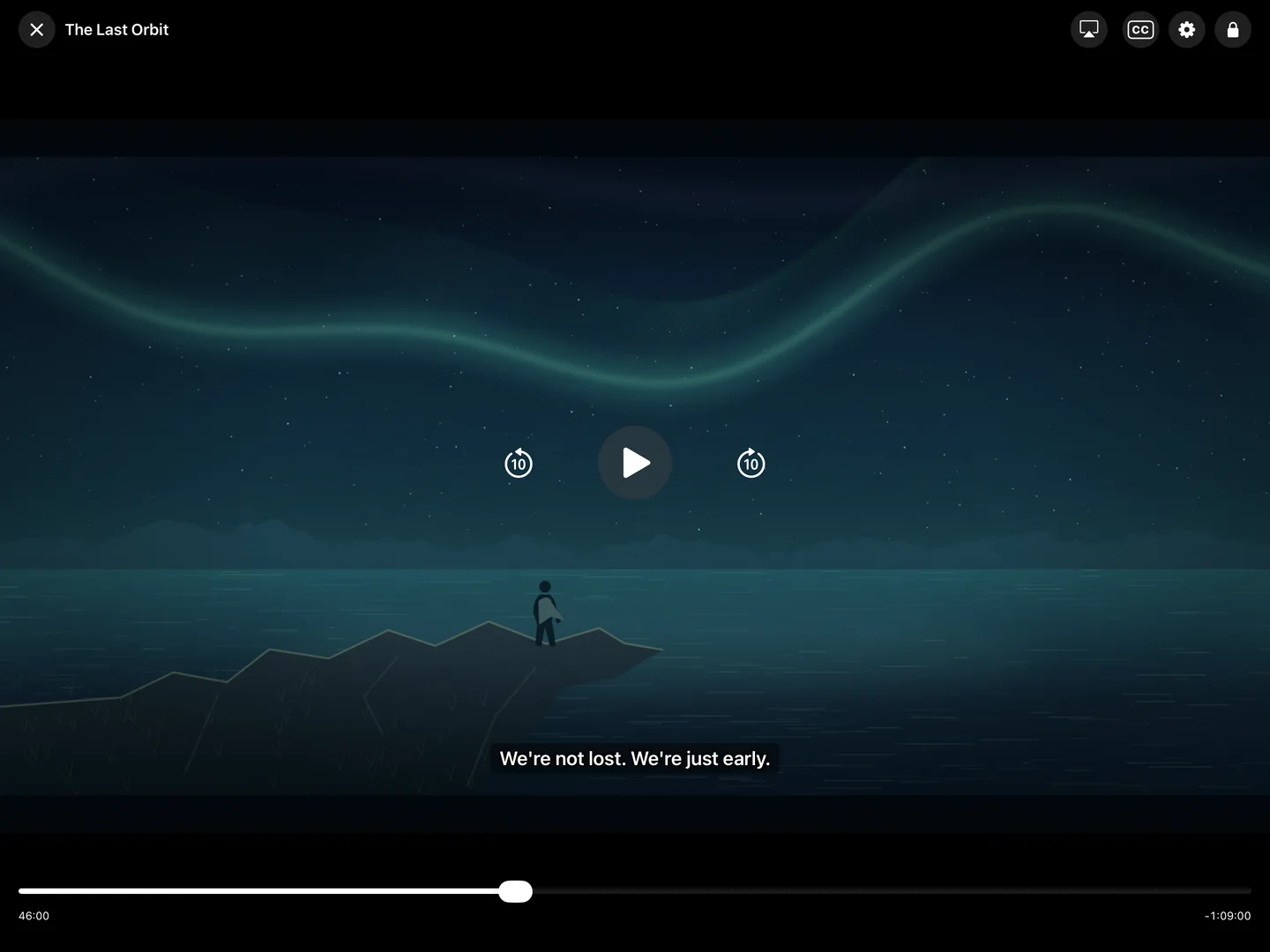
Settle in. Stay in the story.편하게 앉으세요. 이야기에 빠질 시간.
From the first scene to the end credits, make every watch feel just right.첫 장면부터 엔딩 크레딧까지, 내게 꼭 맞는 방식으로 감상하세요.
One story. Any screen.화면이 바뀌어도 이어서.
Resume across devices using the same NAS account.같은 NAS 계정으로 로그인하면 다른 기기에서도 이어볼 수 있습니다.
Subtitles, just how you like them.자막도 내 눈에 맞게.
Adjust size, color, background, outline, position and timing, on Apple TV too. Search online with Video Station subtitle plug-ins on iPhone and iPad.크기·색·배경·테두리·위치·싱크를 조절하세요. Apple TV에서도 됩니다. iPhone·iPad에서는 Video Station 자막 플러그인으로 인터넷 자막도 찾을 수 있습니다.
Get straight to the good part.기다리던 다음 장면으로.
Skip the intro and get back to your series.오프닝은 건너뛰고, 이야기 속으로 바로 돌아가세요.
YOUR SCREEN. YOUR SCENE.어느 화면에서나, 나답게.
Movie night can happen anywhere.어디든, 나만의 영화관이 되니까.
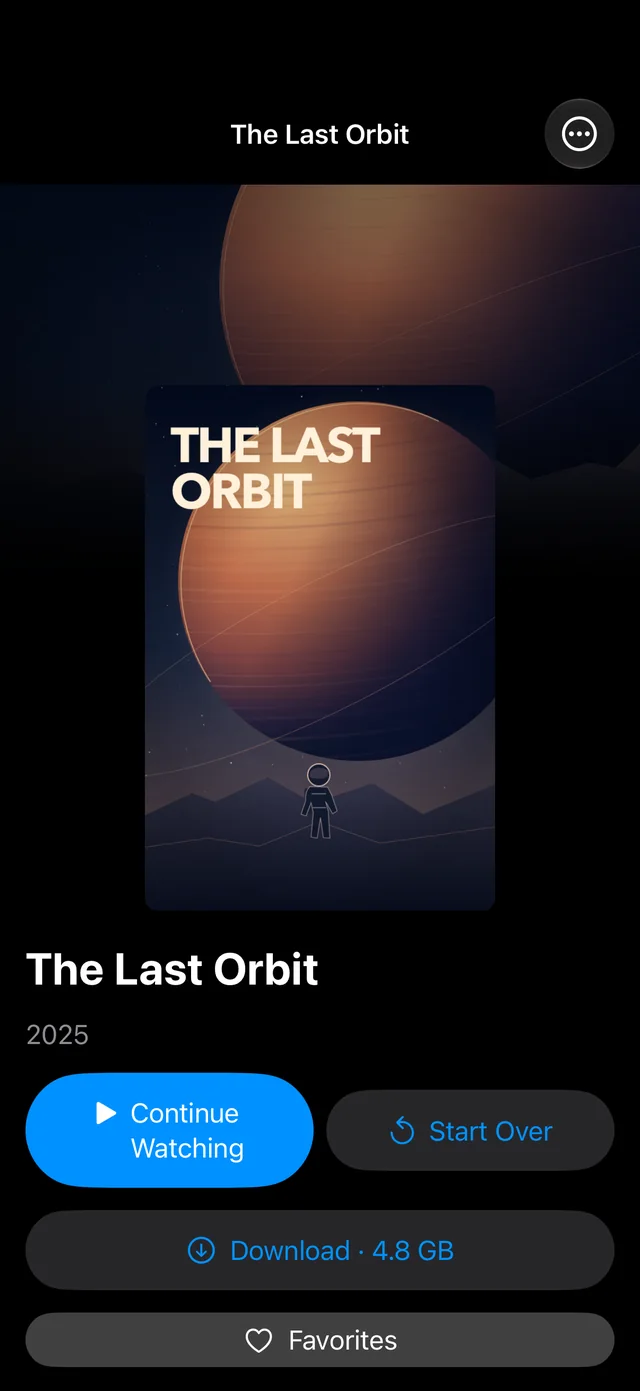
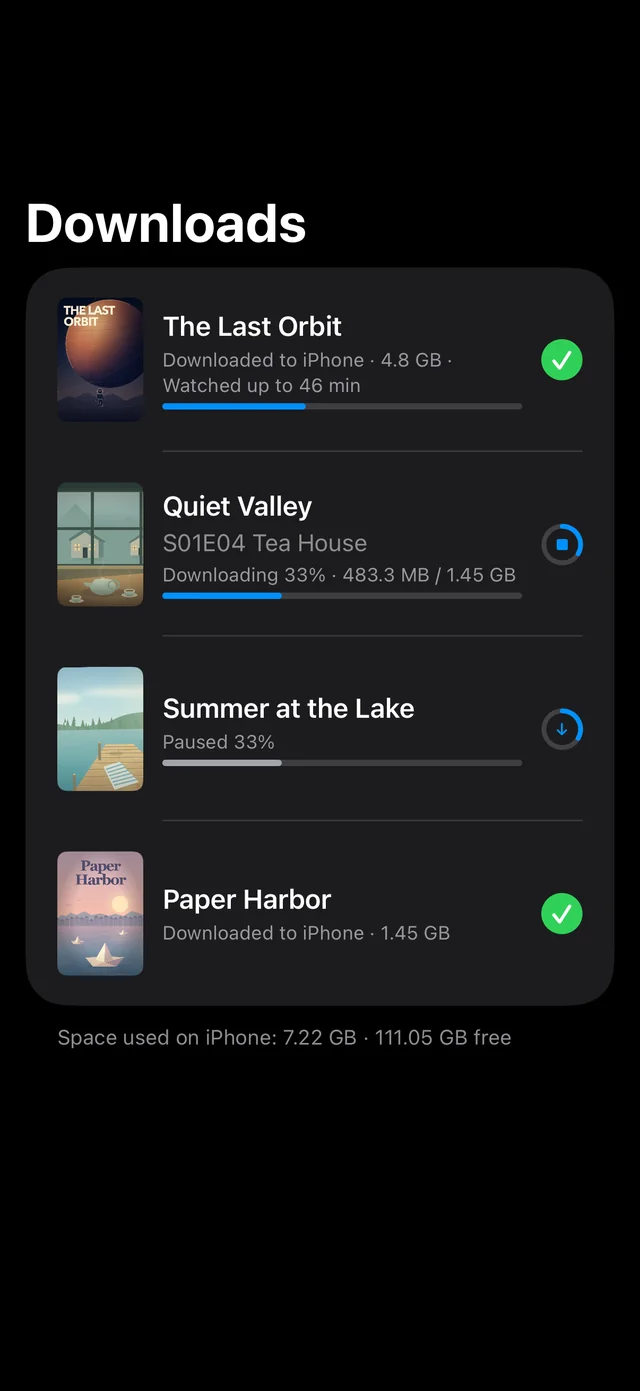
Go offline. Keep watching.인터넷은 꺼도. 이야기는 계속.
Download to your iPhone or iPad before you head out. Your favorites come along, even when Wi-Fi doesn’t.외출 전 iPhone·iPad에 미리 저장하세요. Wi-Fi가 닿지 않는 곳에도 좋아하는 영상은 함께 갑니다.
iPhone & iPad
The big screen. Your own collection.큰 화면 가득. 내가 모은 이야기.
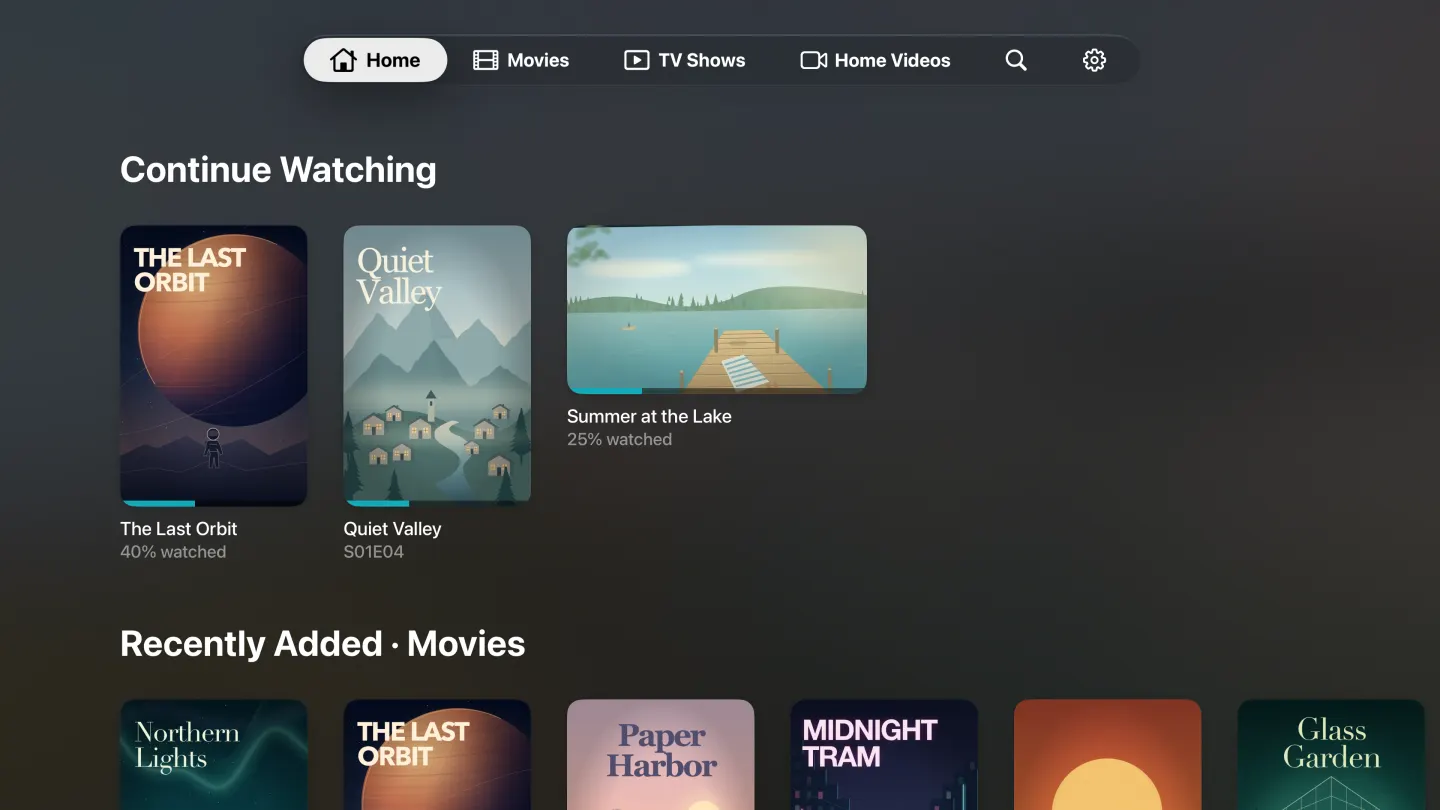
A dedicated Apple TV app brings your NAS library to the living room, with Continue Watching up top. Or AirPlay from iPhone and iPad, subtitles included.전용 Apple TV 앱으로 거실에서도 내 라이브러리를 즐기세요. 이어보기가 맨 위에 있습니다. iPhone·iPad에서 AirPlay로 보낼 때도 자막이 함께 나옵니다.
A little window. A lot of freedom.작은 화면으로, 자유롭게.
Picture in Picture keeps the video playing while you do something else on iPhone or iPad.iPhone·iPad에서 다른 일을 하는 동안에도 PiP로 영상을 계속 보세요.
Some libraries are just for you.나만 보고 싶은 라이브러리.
Hide libraries or lock them with a passcode. Use Face ID or Touch ID on iPhone and iPad. Locked videos never keep playing in Picture in Picture or on the lock screen.라이브러리를 숨기거나 비밀번호로 잠그세요. iPhone·iPad에서는 Face ID·Touch ID도 사용할 수 있습니다. 잠긴 영상은 PiP나 잠금 화면에서 계속 재생되지 않습니다.
Your devices. In sync.어느 기기에서나, 내 라이브러리.
Sync library lists through your own iCloud or NAS. Resume on another device using the same NAS account.라이브러리 목록은 본인의 iCloud나 NAS로 동기화하세요. 같은 NAS 계정이면 다른 기기에서도 보던 장면부터 이어집니다.
CONNECT. CHOOSE. PLAY.연결하고, 고르고, 재생하세요.
Three steps to showtime.시작은 간단하게, 세 단계.
01
Get ready for launch.출시 후 시작하세요.Download Ownstream.앱을 설치하세요.
Once Ownstream launches, download it free on iPhone, iPad or Apple TV.Ownstream이 출시되면 iPhone·iPad·Apple TV에서 무료로 받으세요.Get Ownstream free on your iPhone, iPad or Apple TV from the App Store.App Store에서 iPhone·iPad·Apple TV에 Ownstream을 무료로 받으세요.
02
Connect your NAS.내 NAS에 로그인하세요.
Enter your NAS address and sign in with your existing DSM account. No new app account.NAS 주소와 기존 DSM 계정으로 로그인하세요. 앱 회원가입은 필요 없습니다.
03
Choose something to watch.보고 싶은 영상을 재생하세요.
Open your library, choose a movie or show, and press play. That’s your evening sorted.라이브러리에서 영화나 드라마를 고르고 재생을 누르세요. 이제 즐기기만 하면 됩니다.
PRIVATE IS THE WHOLE POINT.내 것이니까, 나만의 공간에.
Your videos. Your business.내가 보는 영상은 나만의 이야기.
Your videos and watch history stay on your devices and your NAS. Library sync can use your own iCloud. No data is sent to the developer. No app account, no tracking, no ads.영상과 시청 기록은 내 기기와 NAS에 보관됩니다. 라이브러리 동기화에는 본인의 iCloud를 사용할 수 있습니다. 개발자에게 전송되는 데이터도, 앱 회원가입도, 추적도, 광고도 없습니다.
Is it safe to give my NAS password?NAS 비밀번호를 맡겨도 되나요? Your sign-in goes only to your NAS. Passwords are stored only in this device’s Keychain. The developer runs no servers and never receives your credentials. For a NAS with its own self-signed certificate, you confirm it once before connecting.로그인 정보는 본인의 NAS로만 전송됩니다. 비밀번호는 이 기기의 Keychain에만 저장됩니다. 개발자가 운영하는 서버는 없으며 로그인 정보를 받지 않습니다. 자체 인증서를 쓰는 NAS는 연결 전에 한 번 확인한 뒤 신뢰합니다.
No tracking추적 없음No ads광고 없음No app account앱 회원가입 없음
No. Ownstream works with Video Station, or uses File Mode when it isn’t installed, including on DSM 7.2.2 and later. File Mode needs File Station permission. Posters and plots in File Mode require your own optional TMDB API key.아니요. Video Station이 있으면 그대로 쓰고, 없으면 파일 모드로 작동합니다. DSM 7.2.2 이상에서도 사용할 수 있으며, 파일 모드에는 File Station 권한이 필요합니다. 파일 모드에서 포스터와 줄거리를 보려면 본인의 TMDB API 키를 선택적으로 추가할 수 있습니다.
Does it work outside my home?집 밖에서도 볼 수 있나요?
Yes. Connect using a DDNS address or QuickConnect ID with remote access configured on your NAS. Your local IP address works on your home network. Playback quality depends on your connection; QuickConnect relays can be slower. Connecting takes only seconds, and Home shows your last screen right away.네. NAS의 외부 접속을 설정한 뒤 DDNS 주소나 QuickConnect ID로 연결하세요. 내부 IP 주소는 집 안 네트워크에서 사용할 수 있습니다. 재생 품질은 연결 속도에 따라 달라지며, QuickConnect 중계 연결은 느릴 수 있습니다. 연결은 몇 초면 되고, 홈은 지난번 화면이 바로 보입니다.
Free — what about ongoing support?무료인데, 지원은 어떻게 받나요?
Ownstream is free and made by one independent developer. You bring your own Synology NAS and videos. For questions or bugs, use the contact on our support page; replies may take a few days.Ownstream은 개인 개발자 한 명이 만드는 무료 앱입니다. 본인의 Synology NAS와 영상이 필요합니다. 문의나 버그 제보는 지원 페이지의 연락처로 보내 주세요. 답장이 며칠 걸릴 수 있습니다.Get support →지원 안내 →
What video formats can I play?어떤 영상 형식을 지원하나요?
MP4 and MOV use the native player when supported. MKV, AVI and more play through the built-in VLC engine. Your NAS may also convert video when available; playback depends on the codecs in the file and your device.지원되는 MP4·MOV는 기본 플레이어로, MKV·AVI 등은 내장 VLC 엔진으로 재생합니다. 가능한 경우 NAS에서 영상을 변환할 수도 있습니다. 실제 재생 가능 여부는 파일의 코덱과 기기에 따라 달라집니다.
Is my data collected?내 정보를 수집하나요?
Ownstream collects no personal data and includes no ads, analytics or tracking tools. Data stays on your devices, NAS and, for optional sync, your own iCloud. Optional services such as QuickConnect and TMDB have their own privacy policies.Ownstream은 개인정보를 수집하지 않으며 광고·분석·추적 도구를 사용하지 않습니다. 데이터는 내 기기와 NAS, 선택적 동기화를 위한 본인의 iCloud에 보관됩니다. QuickConnect·TMDB 같은 선택 서비스에는 각 서비스의 개인정보 처리방침이 적용됩니다.
Which devices does it work on?어떤 기기에서 사용할 수 있나요?
Ownstream is built for iPhone, iPad and Apple TV. Offline downloads, Picture in Picture and AirPlay are available on iPhone and iPad.iPhone, iPad, Apple TV용 앱입니다. 오프라인 저장, 작은 화면(PiP), AirPlay는 iPhone·iPad에서 지원합니다.
Ownstream
Your next movie night is already on your NAS.오늘 밤 볼 영화, 이미 내 NAS에 있으니까.
Free on iPhone, iPad and Apple TViPhone·iPad·Apple TV에서 무료
 Ownstream